Pascal 3D Editor
Create, inspect, validate, and save editable 3D building scenes with Pascal's MCP server.
At a glance
Not tested yet- GitHub stars
- 25,651
- Weekly downloads
- 6,401
- Last commit
- 2026-11-18
- Licence
- MIT
- Transport
- stdio
- Auth
- none
npx -y @pascal-app/mcp
What it does
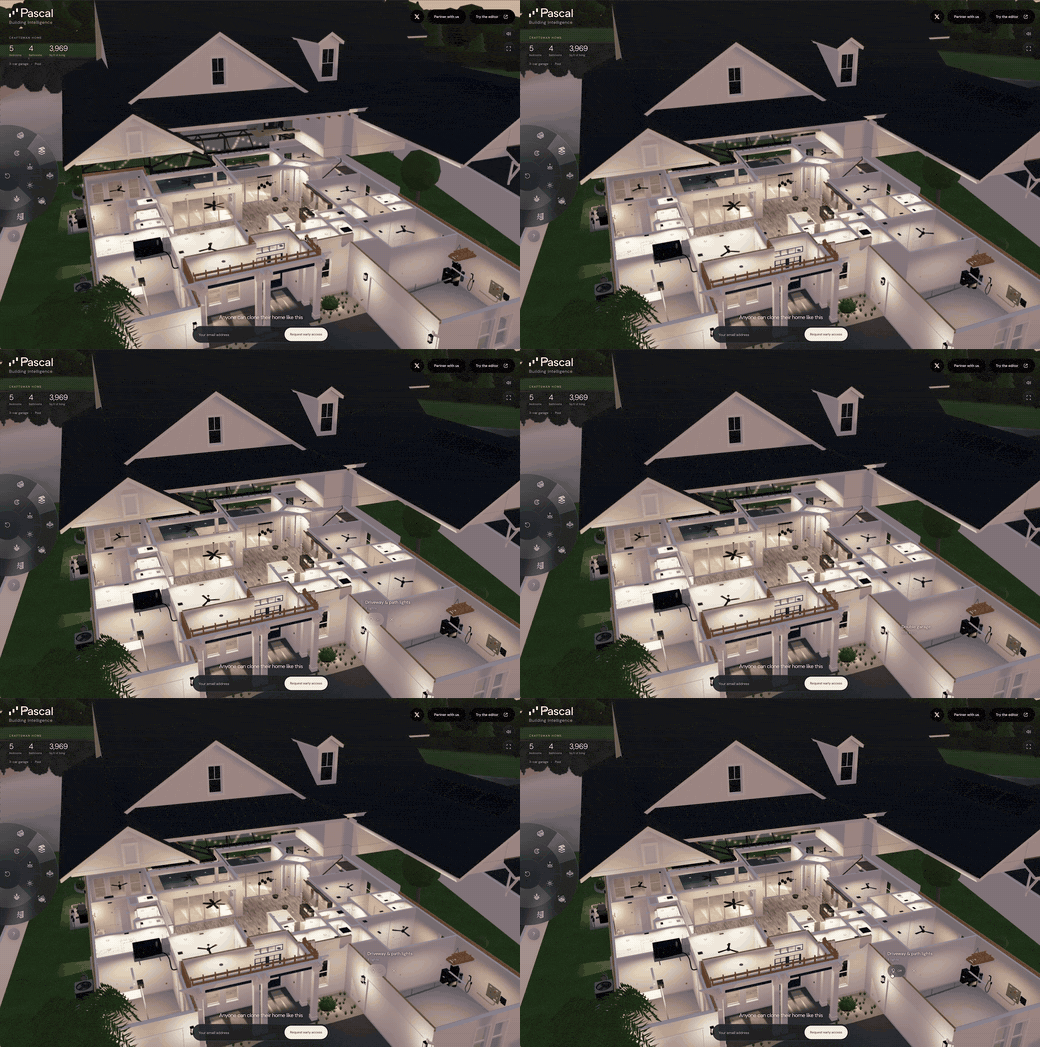
Pascal 3D Editor is an open-source, MIT-licensed building editor for architecture, engineering, construction, and operations (AECO) work. It lets you model sites, buildings, levels, walls, slabs, roofs, openings, rooms, and furniture in your browser. Its MCP server gives an AI agent tools to inspect, edit, validate, and save the same building scenes. It is for people who want an agent to work on 3D building models alongside them.
Key features
- Model sites, buildings, levels, walls, slabs, roofs, openings, rooms, and furniture.
- Bring 3D scans in as reference layers for scan-to-BIM workflows and model editable building elements over them.
- Let an agent read, edit, validate, and save the same scenes.
- Run locally with no account, with projects kept in
~/.pascal/data/pascal.dband nothing uploaded. - Connect to a hosted workspace at
https://editor.pascal.app/api/mcpusing your Pascal account or organization. - Built with React Three Fiber and WebGPU.
Quick start
The local commands need the pascal command on your PATH.
npm install --global @pascal-app/cli
pascal mcp setup claude
pascal mcp setup codex
pascal mcp config
pascal mcp status
pascal doctor
Add it to Claude Code from a terminal:
claude mcp add editor -- npx -y @pascal-app/mcp
Or add this to .mcp.json in your project root (Claude Code) or .cursor/mcp.json (Cursor):
{
  "mcpServers": {
    "editor": {
      "command": "npx",
      "args": [
        "-y",
        "@pascal-app/mcp"
      ]
    }
  }
}
Environment variables
The registry entry declares no environment variables.
Example prompts
- Add a wall along the north side of the ground floor and put a door opening in it.
- List the rooms on the second level and tell me which ones have no furniture.
- Validate the current scene and report any problems before saving.
- Place a sofa and a table in the living room and check they fit.
What to watch out for
- The local commands need Node.js 22.23.4+ on 22.x, 24.22.1+ on 24.x, or 26.12.1+.
- Use one active agent client per local CLI service. The standalone local HTTP runtime shares active scene state between clients, so use separate
PASCAL_HOMEdirectories and service processes for independent concurrent work. - The hosted workspace needs that account's authorization. Claude Code, Codex, and other clients send an API key created in Pascal Settings. Some hosted operations, such as Architect runs, consume Pascal credits.
- In Claude Code, use either the manual server setup or the plugin, not both. Remove the manual entry before reloading so only the plugin owns the connection.
Not tested by tools4agents yet. Read the source repository before you install it.

Similar tools
Blender MCP Server
Connects Blender to AI coding assistants via MCP for prompt-assisted 3D modeling, material creation, and scene inspection.
Figma Context MCP Server
Gives coding agents direct access to Figma component structures, tokens, and layouts for accurate UI implementation.
Unity MCP Server
Connects Unity Editor to AI coding agents to control scene hierarchies, edit scripts, inspect game objects, and manage assets.
Dembrandt
Design tokens from any live site: colors, type, spacing, DTCG, Tailwind, drift checks.