Mirroir Mcp
Drive a stock iPhone via iPhone Mirroring: no Developer Mode, Xcode or WDA. LLM-free skill replay.
At a glance
Not tested yet- GitHub stars
- 397
- Weekly downloads
- 3,843
- Last commit
- 2026-11-20
- Licence
- Apache-2.0
- Transport
- stdio
- Auth
- none
npx -y mirroir-mcp
What it does
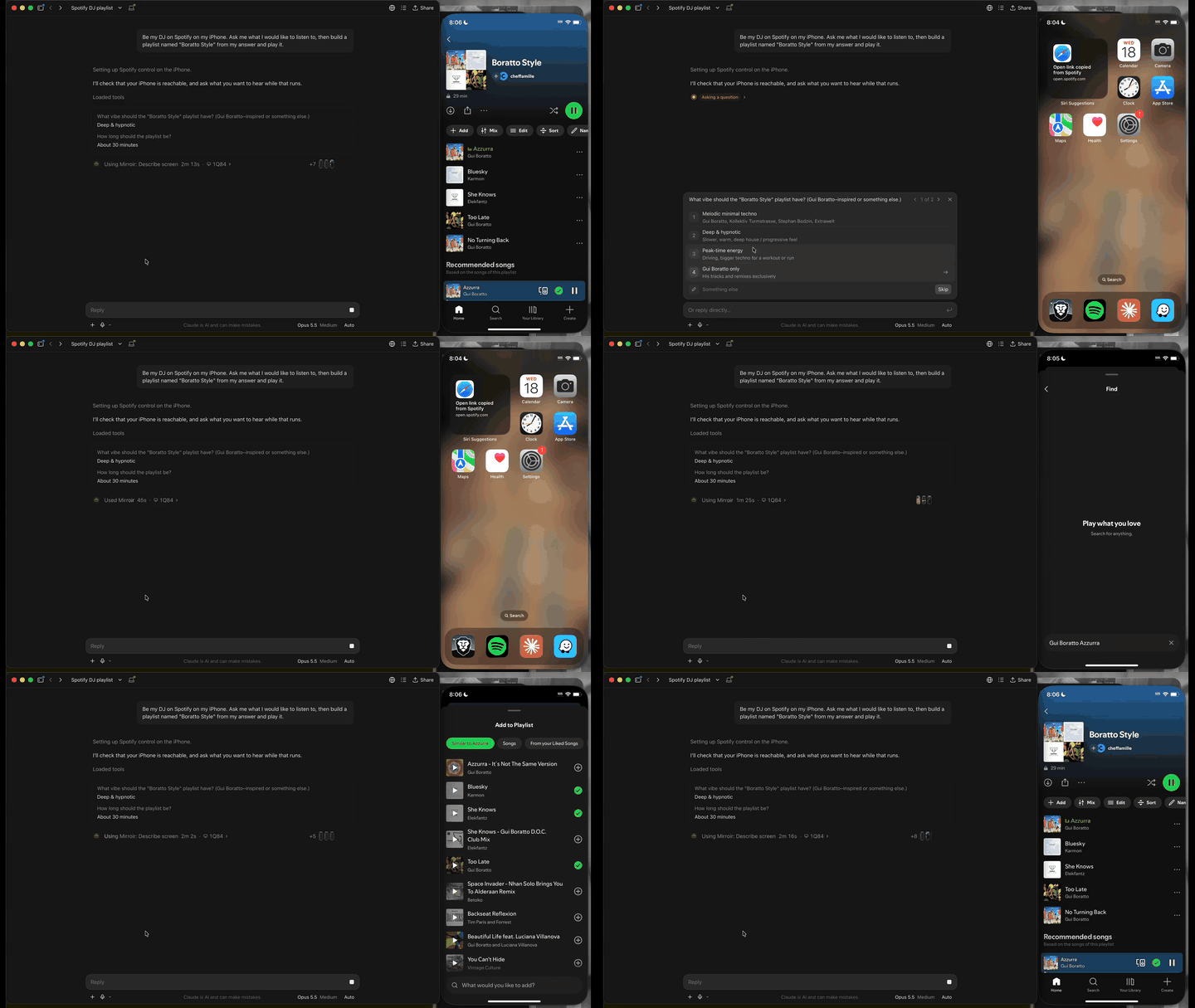
Mirroir Mcp is an MCP server that lets an AI agent drive a real iPhone through macOS iPhone Mirroring. It reaches any app on the phone, including App Store apps, without Developer Mode, Xcode, WebDriverAgent or a jailbreak. It uses the apps already signed in on the phone, so no connector, OAuth or password is handed to anyone. It is for people who want their agent to run errands across phone apps, build automations, or play games.
Tools it gives your agent
The sources name these tools and steps:
describe_screen: reads the frames of what is on screen.listen: turns what the phone plays, such as a reel's narration or a voice message, into text.touch: holds a finger for virtual joysticks.hold_keys: drives games that take keyboard and mouse.pinchandrotate: zoom and rotate.run_steps: replays a sequence that has worked in one call.generate_skill: explores an app and writes SKILL.md files.save_noteandget_notes: keep one line per lesson per app and give it to the next session.
Quick start
You need macOS 15 or later and an iPhone connected through iPhone Mirroring. Install it yourself, then check the setup:
npx -y mirroir-mcp install
npx -y mirroir-mcp doctor
doctor names anything left to fix. Then ask for something.
Add it to Claude Code from a terminal:
claude mcp add mirroir-mcp -- npx -y mirroir-mcp
Or add this to .mcp.json in your project root (Claude Code) or .cursor/mcp.json (Cursor):
{
  "mcpServers": {
    "mirroir-mcp": {
      "command": "npx",
      "args": [
        "-y",
        "mirroir-mcp"
      ]
    }
  }
}
Environment variables
The registry entry declares no environment variables.
Example prompts
- Open Calendar, create a new event called "Dentist" next Tuesday at 2pm.
- Open my Expo Go app, tap "LoginDemo", test the login screen with test@example.com / password123. Screenshot after each step.
- Start recording, open Instagram, scroll the feed and open my profile, stop recording.
- Read the commute time in Waze, then post it in Slack.
What to watch out for
- Without a config file, only the 14 read-only tools are exposed. Tools that change something stay hidden until you allow them in
permissions.json. blockedAppskeeps the AI out of apps like Wallet or Banking, even when other tools are allowed.- It never presses a sheet that asks for a password or Touch ID, and it tells agents to ask you before sending, buying, deleting or changing a setting.
- It runs as your user with Screen Recording and Accessibility permissions.
- By default it makes one network call a day, a version check against npm.
updateCheck: falseturns it off. - What your agent reads from the screen goes to whichever model your client uses.
- iPhone Mirroring exposes a single pointer, so twin-stick games stay out of reach.
listenneeds macOS 26.- Android and the iOS Simulator are not supported.
Not tested by tools4agents yet. Read the source repository before you install it.

Similar tools
Everything
The official test server. Exercises every part of the protocol, so it is the fastest way to check your setup works at all.
Filesystem
Gives an agent scoped read and write access to directories you name explicitly. The usual first MCP server people install.
Git
Read, search, and manipulate local Git repositories. Lets an agent inspect history and diffs without shelling out.
Sequential Thinking
Gives a model a scratchpad for multi step reasoning, letting it revise earlier steps instead of committing to a first answer.