kordoc
Parse Korean documents (HWP, HWPX, PDF, XLSX, DOCX, PPTX) to Markdown; fill forms, diff, render.
At a glance
Not tested yet- GitHub stars
- 3,050
- Weekly downloads
- 74,010
- Last commit
- 2026-11-19
- Licence
- MIT
- Transport
- stdio
- Auth
- none
npx -y kordoc
What it does
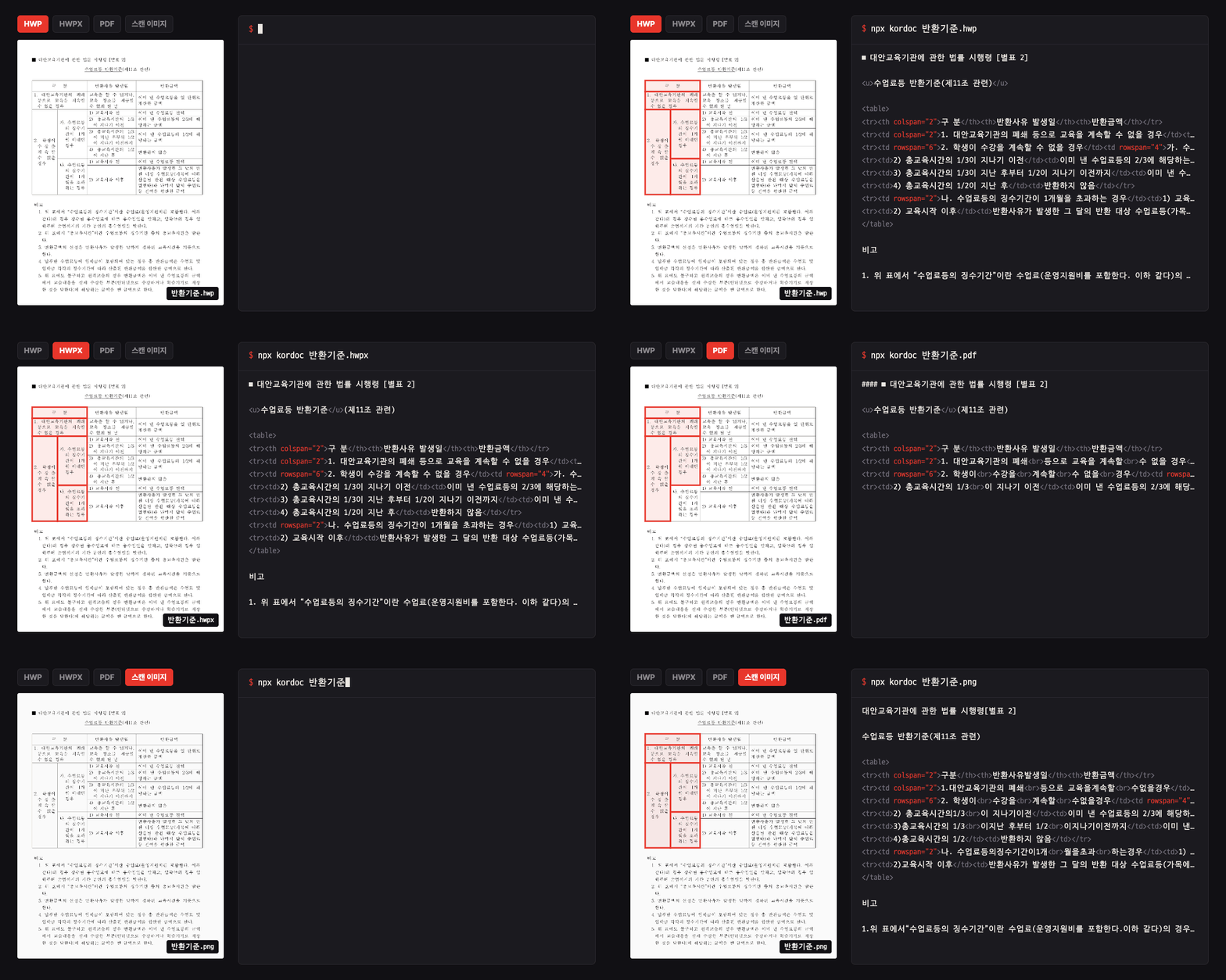
kordoc is an MCP server that lets an AI agent read and write Korean public documents. It turns HWP 3.x and 5.x, HWPX, HWPML, PDF, XLS, XLSX, DOCX, PPTX and image files into Markdown and structured data, and builds HWPX and HWP documents from Markdown. It is aimed at people working with Korean government and office paperwork. It is also available as a library and a CLI.
Tools it gives your agent
The README says the client exposes 22 tools for parsing, comparing, generating, checking and rendering, but it does not name them individually. The documented capabilities behind them are:
- Reading documents into Markdown, IR, per-page body text and RAG chunks, with local OCR and QR values from images.
- Comparing and editing at block and cell level, and patching HWPX and HWP while keeping formatting.
- Writing Markdown into HWPX and HWP with public-document presets, department templates and report layout.
- Converting HWP 5.x to HWPX with formatting kept, and other formats into HWPX.
- Filling form fields and standard draft templates, and applying seals.
- Checking spelling, public language, structure, AI writing style and budget calculations.
- Previewing HWPX and HWP, extracting regions and masking personal information.
Quick start
Node.js 20 or later is required, on macOS, Linux or Windows.
npm install kordoc
npx -y kordoc setup
Restart the client afterwards to use the tools.
Add it to Claude Code from a terminal:
claude mcp add kordoc -- npx -y kordoc
Or add this to .mcp.json in your project root (Claude Code) or .cursor/mcp.json (Cursor):
{
  "mcpServers": {
    "kordoc": {
      "command": "npx",
      "args": [
        "-y",
        "kordoc"
      ]
    }
  }
}
Environment variables
KORDOC_OFFLINE: set to 1 to block all external communication, with OCR running locally on CPU without an API key.KORDOC_ROOT: the MCP access scope.KORDOC_SANDBOX: set togvisorto run the parser inside a gVisor sandbox on Linux.
Example prompts
- Convert this HWPX file to Markdown and show me the tables.
- Read this scanned PDF with OCR and save the text as Markdown.
- Compare these two versions of the report and list the changed cells.
- Fill the standard draft template with the values in this JSON file.
What to watch out for
- Node.js 20 or later is required.
- OCR, image format conversion and QR reading depend on optional dependencies. Installing with
--omit=optionallimits those features. - Writing HWP output needs
@rhwp/coreinstalled first. --jobsconverts files in parallel and increases memory use.- The README gives no pricing or cost information.
Not tested by tools4agents yet. Read the source repository before you install it.

Similar tools
Time
Gives an agent the current time and timezone conversion. Fixes the common problem of models not knowing today's date.
Notion
Gives an agent read and write access to Notion pages and databases, useful when your specs and notes live there.
CROW: LLM Wiki
Long-term memory as a Markdown wiki: recall with cited notes, remember, file your documents.
docling.rs
Documents to Markdown for agents: PDF layout, tables and OCR, Office, HTML, scans. docling in Rust.