DBHub
Token-efficient MCP server for PostgreSQL, MySQL, MariaDB, SQL Server, Oracle, ClickHouse, SQLite
At a glance
Not tested yet- GitHub stars
- 3,880
- Weekly downloads
- 130,367
- Last commit
- 2026-11-19
- Licence
- MIT
- Transport
- stdio
- Auth
- api-key
npx -y @bytebase/dbhub
What it does
DBHub is a minimal MCP server that lets MCP-compatible clients connect to and explore different databases through a single interface. It works with clients such as Claude Desktop, Claude Code, Codex, Cursor, VS Code and Copilot CLI. It is aimed at developers doing schema exploration and query validation, teams exposing read-only views to non-technical staff, and anyone consolidating several database MCP servers into one process.
Tools it gives your agent
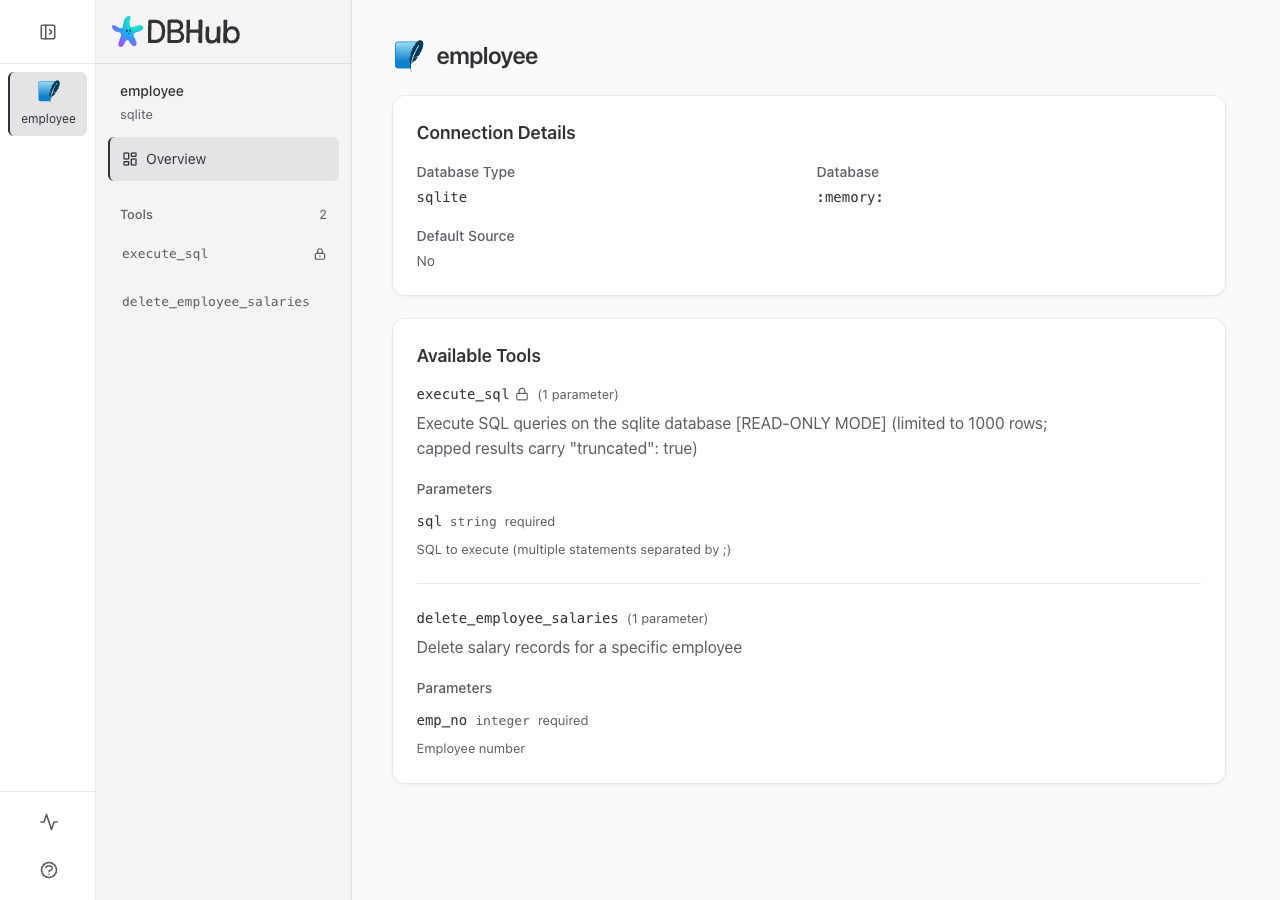
execute_sql: executes SQL queries with transaction support and safety controls.search_objects: searches and explores database schemas, tables, columns, indexes and procedures with progressive disclosure.explain_sql(opt-in): shows a query's execution plan without running it.health_check(opt-in): reports connection pool state and buffer cache hit ratio.- Custom Tools: reusable, parameterized SQL operations defined in a
dbhub.tomlconfiguration file.
Quick start
Run the server with an HTTP transport and a connection string:
npx @bytebase/dbhub@latest --transport http --port 8080 --dsn "postgres://user:password@localhost:5432/dbname?sslmode=disable"
For Claude Code, install the plugin:
/plugin marketplace add bytebase/dbhub
/plugin install dbhub@dbhub
For Codex, install the plugin:
codex plugin marketplace add bytebase/dbhub
codex plugin add dbhub@dbhub
Add this to .mcp.json in your project root (Claude Code) or .cursor/mcp.json (Cursor):
{
  "mcpServers": {
    "dbhub": {
      "command": "npx",
      "args": [
        "-y",
        "@bytebase/dbhub"
      ],
      "env": {
        "DSN": "YOUR_DSN",
        "DB_TYPE": "YOUR_DB_TYPE",
        "DB_HOST": "YOUR_DB_HOST",
        "DB_PORT": "YOUR_DB_PORT",
        "DB_USER": "YOUR_DB_USER",
        "DB_PASSWORD": "YOUR_DB_PASSWORD",
        "DB_NAME": "YOUR_DB_NAME",
        "TRANSPORT": "YOUR_TRANSPORT",
        "PORT": "YOUR_PORT",
        "ID": "YOUR_ID",
        "SSH_HOST": "YOUR_SSH_HOST",
        "SSH_PORT": "YOUR_SSH_PORT",
        "SSH_USER": "YOUR_SSH_USER",
        "SSH_PASSWORD": "YOUR_SSH_PASSWORD",
        "SSH_KEY": "YOUR_SSH_KEY",
        "SSH_PASSPHRASE": "YOUR_SSH_PASSPHRASE",
        "SSH_AUTH_SOCK": "YOUR_SSH_AUTH_SOCK"
      }
    }
  }
}
Replace each YOUR_ value with your own, and delete the variables you do not use.
Environment variables
DBHUB_DSN: the Codex plugin reads the connection string from this variable.DSN: declared by the server. The README does not explain it.DB_TYPE: declared by the server. The README does not explain it.DB_HOST: declared by the server. The README does not explain it.DB_PORT: declared by the server. The README does not explain it.DB_USER: declared by the server. The README does not explain it.DB_PASSWORD: declared by the server. The README does not explain it.DB_NAME: declared by the server. The README does not explain it.TRANSPORT: declared by the server. The README does not explain it.PORT: declared by the server. The README does not explain it.ID: declared by the server. The README does not explain it.SSH_HOST: declared by the server. The README does not explain it.SSH_PORT: declared by the server. The README does not explain it.SSH_USER: declared by the server. The README does not explain it.SSH_PASSWORD: declared by the server. The README does not explain it.SSH_KEY: declared by the server. The README does not explain it.SSH_PASSPHRASE: declared by the server. The README does not explain it.SSH_AUTH_SOCK: declared by the server. The README does not explain it.
Example prompts
- List the tables in my database and describe the columns of the orders table.
- Run this query and show me the results: select count(*) from users.
- Show the execution plan for my last query without running it.
- Check the connection pool state and buffer cache hit ratio.
What to watch out for
- Read-only mode is a guardrail, not a permission boundary. Connect with a least-privilege, read-only database user.
- With
--dsnalone,execute_sqlcan also write. To keep it read-only, point--configat a TOML file that setsreadonly = true. - Development requires Node.js >= 22.5.0.
- The README points to Bytebase for enterprise guardrails such as approval flow, access control, data masking and audit logging beyond what DBHub offers.
Not tested by tools4agents yet. Read the source repository before you install it.

Similar tools
Memory
A knowledge graph that persists facts across sessions, so an agent can recall context after the conversation ends.
PostgreSQL
Read only SQL access with schema introspection, so an agent can answer questions about your data without guessing column names.
Supabase MCP Server
Connects AI assistants directly to Supabase projects to manage database tables, query data, run migrations, and control edge functions.
Qdrant MCP Server
Vector-based memory storage and semantic search retrieval for AI systems using Qdrant vector database.